
1
Log what you just did
The reminder needs a starting point: this service, this date, these kilometers.
A reminder that ignores the odometer goes off at the wrong time. RPMBase attaches a car maintenance reminder to the service you logged: a date, a kilometer target, or both.
Free to start. Reminders live on your phone. This website does not save due dates.

 Coming soon
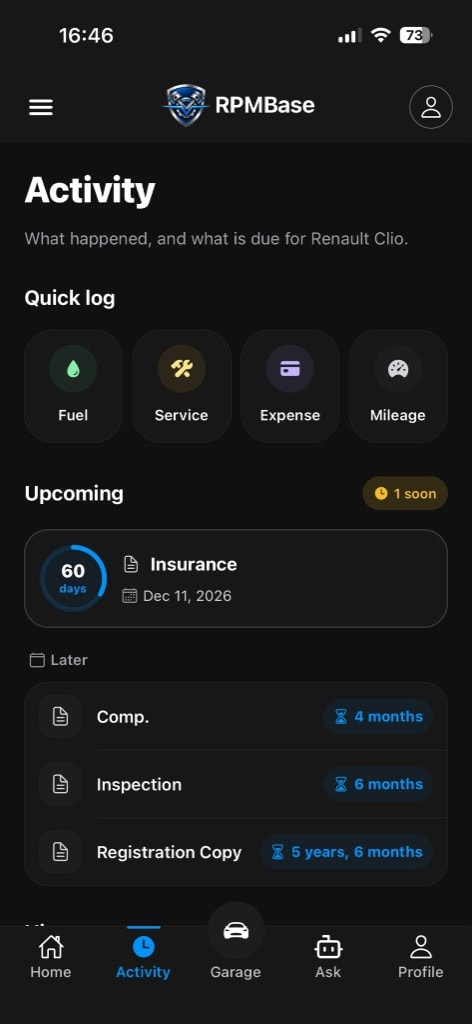
Inspection and insurance are calendar jobs. They belong on the car even when they are not a repair.
Oil often comes due in distance. Write the figure from the invoice, not a round number you invented.
If the shop gave both a month and a distance, keep both. The useful reminder matches how the work was specified.
Service the car is not a job. Oil and filter is. A named reminder is harder to dismiss.
Two vehicles do not share an alarm. Each reminder points at one log.
RPMBase does not invent your official intervals. You set the next mark. The checklist tool is a reference, not a manual.
Whichever comes first: the month or the kilometers. Write down the rule you were given.
These are dates. They belong on the car even though they are not a repair.
Brake fluid, wipers, a tire check. A named reminder is harder to wave away than a vague intention.
Oil, inspection, insurance, and tires do not come due on the same schedule. A phone alarm set for 'sometime in spring' is easy to dismiss because it does not say which car or which job.
If you drive a little or a lot, kilometers and months disagree. The useful reminder is the one that matches how the work was specified.
When you record a service, you can save the next date or the next kilometers from the invoice or from your own judgment. The garage can then show what is coming before it is late.
This is not a generic alarm clock. A car maintenance reminder in RPMBase points at a car and a job. If you have two cars, their reminders do not mix.
The windshield sticker is doing too much work. Oil, inspection, insurance, and tires do not come due on the same schedule. A phone alarm set for sometime in spring is easy to dismiss because it does not say which car or which job.
If you drive a little or a lot, kilometers and months disagree. The useful reminder is the one that matches how the work was specified, hanging from the last service you actually logged.
Not sure which reminders are worth keeping? The guide on how to set car maintenance reminders walks through date versus kilometer targets. Reminders themselves live in the phone garage; this website sends no notifications.
The log a reminder hangs from.
Car maintenance trackerCommon intervals from your current kilometers. Not a model database.
Service checklistWhat you already did, in order.
Car service historyThe upcoming list those reminders fill.
Garage calendarInsurance and inspection dates beside service due marks.
Car documentsNo. You set the next date or kilometers for oil change, inspection, filters, or tires. The service checklist shows common intervals as a reference. Your manual and your invoice win when they disagree.
Yes. After you log the oil change, save whichever comes first: the month or the kilometers from your oil change interval. That reminder is part of a car maintenance schedule you control, not a generic alarm.
Save the date. Add kilometers later if the invoice has them. A partial maintenance reminder is still better than none.
The tracker is where you write the work. Reminders are how that work tells you when to return. Start with the maintenance log if you do not have a due point yet.
No. There is no VIN lookup and no downloaded factory car maintenance schedule. You copy the gap you trust. The oil change due tool on this site can do the kilometer math once.
A reminder should name the job and the car. Get the app on your phone.
Coming soon