
1
Say what happened
A service, a fill-up, an expense, or a new odometer reading. One car at a time.
The moment you remember the service is rarely the moment you want a form. RPMBase is an AI garage assistant for one job: turn a plain sentence into a draft record, then wait. Nothing is saved until you confirm it.
A draft is a proposal. Nothing is saved until you confirm. This website does not run the assistant.

 Coming soon
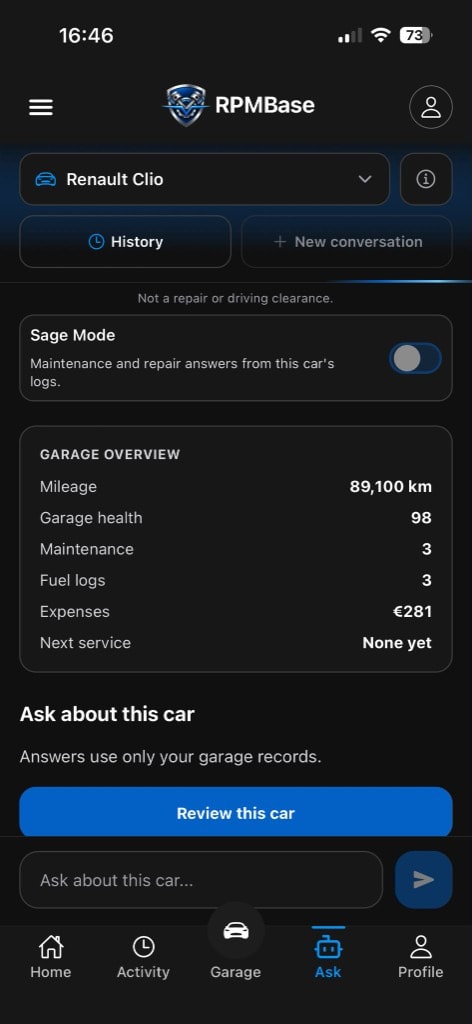
Say the oil was changed at 148,200 km and what you paid. The draft should show the job, the odometer, the amount, and the date.
Liters, cost, and the odometer, spoken the way you would text someone. Confirming writes the fuel row.
Insurance, parking, a tire. The draft names the category so it does not land on the wrong log.
If a number is missing, the draft should ask. It should not invent the kilometers or the price.
Confirm writes through the same path as typing. Cancel writes nothing. You can always use the form instead.
The assistant is for the car you own. It does not compare models or search a public catalog.
Oil, brakes, or a general visit, with kilometers and a price.
Liters, cost, and the odometer, spoken the way you would text someone.
When did I last change the oil? The answer has to come from rows you saved. If the log is empty, the honest reply is that it is empty.
People abandon maintenance apps at the empty form. They can say what happened. They do not want to pick a category, a date, and a currency before they trust the screen.
A chat window that gives advice and writes nothing does not help the garage. An AI car maintenance assistant is useful when the answer is a row you can check.
You might say: I changed the oil at 148,200 km and paid ₺3,850. RPMBase should show a draft: oil change, that odometer, that amount, today's date, this car. You fix anything wrong. Then you save it through the same path as the manual form.
If a number is missing, the draft should ask. It should not invent the kilometers or the price. The AI car maintenance app is a clerk for the logbook, not a mechanic and not a shopping guide.
People abandon maintenance apps at the empty form. They can say what happened. They do not want to pick a category, a date, and a currency before they trust the screen. A chat that gives advice and writes nothing does not help the garage.
An AI car maintenance assistant is useful when the answer is a row you can check. Questions about your own log have to come from rows you saved. If the log is empty, the honest reply is that it is empty.
Ask drafts from your garage context. This page describes how that loop works. Get App opens Download.
No. The draft is a proposal. Saving is a separate step you take. If you close it, the garage stays as it was.
No. The assistant is for the car you own. It does not compare models or search a public catalog.
Keep a garage on your phone. Ask can fill a service or fuel row from what you say. You still confirm before it is saved. Open Download for store links.
The assistant drafts. You decide. Get the app to keep that garage on your phone.
Coming soon